
PPC Agency Lancashire: Google Ads Run by One Specialist, for a Flat Fee
Pay-per-click management for businesses across Lancashire: Google Ads and Microsoft Ads built around the searches that produce enquiries in Preston, Blackburn, Burnley, Blackpool, Chorley and the towns you actually serve. Keyword and negative research, campaign build, landing pages, conversion tracking, and a written report every week. A flat management fee, never a share of your ad spend, and the account stays in your name.

What a PPC agency should do for a Lancashire business, and what most of them do instead
Paid search is the fastest route to enquiries there is. A campaign built properly can have the phone ringing inside a week, from people typing exactly what you sell, in the towns you cover, at the moment they are ready to buy. That is also why it is the easiest place to waste money: the same speed that brings enquiries brings clicks from job hunters, students, competitors, other tradespeople and people two counties away, and a poorly built account spends its budget on all of them before anybody notices.
What good management actually involves is unglamorous. Research into the words your customers use and, just as importantly, the words that look right and never convert. A campaign structure that keeps the money on the services with margin instead of spreading it evenly. Location targeting set to presence rather than interest, so you pay for people in Lancashire rather than people reading about it. Negative keyword lists that grow every week. Landing pages that answer the search instead of dropping everyone on the homepage. Conversion tracking that records real enquiries, calls and forms, not button clicks. Then continuous work on search terms, bids, budgets and ad copy, and a written report that shows what changed and what it cost per enquiry.
This page sets out what is included, how Lancashire’s towns and sectors behave in paid search, how campaigns are structured, what the fees are, how paid search and SEO work together, what to expect month by month, and the questions business owners ask before handing over an ad budget. The free account review at the end is the normal starting point: if you are already running ads, you get a written list of what is wasting money before you pay anything.
The Lancashire businesses paid search works hardest for
Trades and emergency services
- Plumbers, electricians, roofers, locksmiths, drainage, glazing, pest control
- Urgent searches with immediate intent; call-only and call extensions do the heavy lifting
Home improvement and installers
- Kitchens, bathrooms, windows, driveways, landscaping, solar, heat pumps
- Higher value per job, longer consideration; forms and callbacks matter more than instant calls
Professional and financial services
- Accountants, solicitors, mortgage and insurance brokers, consultants
- Expensive clicks that pay off when the tracking is honest and the landing page qualifies
Clinics and private healthcare
- Dental, cosmetic, physiotherapy, opticians, veterinary
- Booking-led; treatment-level campaigns and clear pricing outperform brand-level ones
Online stores
- Shopping campaigns, product feeds, remarketing, seasonal peaks
- Return on ad spend measured against real order data, not platform-reported conversions alone
Businesses with a slow-building website
- New sites, or sites where SEO is months away from ranking
- Ads buy visibility now while the organic work compounds behind it
Everything in the Lancashire PPC service
Free account review
If ads are already running, a written review of the account before any fee: wasted spend by search term, structure problems, tracking that is not recording real enquiries, location and device settings, bidding strategy, and what the account is actually costing per lead rather than per click.
- Search term waste identified in pounds
- Tracking verified end to end
- A fix list you keep either way
Keyword and negative research
The searches your customers use by service and town, grouped by intent, with the commercial ones separated from research and job-seeking queries. Negative lists built before launch from the words that waste money in your sector, then extended every week from real search terms.
- Buyer searches prioritised over volume
- Negative lists that start large and keep growing
- Competitor and brand terms handled deliberately
Campaign build and structure
Campaigns split so budget follows margin: by service, by area where it matters, and by intent. Ad groups tight enough that the ad matches the search. Search, Performance Max, Shopping, remarketing and Microsoft Ads used where they earn their place, not because they exist.
- Budget allocated to the services you want more of
- Location targeting set to presence, not interest
- Schedules and devices set from the data, not defaults
Ad copy and assets
Responsive search ads written for the search and the buyer, with the headlines and descriptions tested rather than guessed. Sitelinks, callouts, structured snippets, call and location assets, images and lead forms added and maintained. Ad strength treated as a hint, not a target.
- Copy written from your own service pages and reviews
- Assets that answer objections in the results
- Regular testing with enough data to mean something
Landing pages and conversion
The click is only half the job. Pages that match the promise in the ad, load fast on a phone, state the offer and the area, show proof, and make contact a single tap. Forms that qualify without scaring people off. Where a page needs building, it gets built.
- Message match between search, ad and page
- Mobile speed and click-to-call checked
- Form fields chosen to qualify, not to interrogate
Tracking and measurement
Conversion tracking that records real outcomes: form submissions, phone calls of a meaningful length, messages, bookings and, for stores, revenue. Analytics connected properly, offline conversions imported where the sale happens later, and reporting built on your data rather than the platform’s optimism.
- Every conversion action verified, not assumed
- Call tracking where the phone matters
- Cost per enquiry and cost per sale, not cost per click
Ongoing management
Weekly work: search term reviews and new negatives, bid and budget adjustments, pausing what does not convert, scaling what does, new ad tests, asset refreshes, competitor monitoring and seasonal changes. Paid search is not a set-up job; the account that is left alone is the account that quietly overspends.
- Search terms reviewed every week
- Budget moved to what produces enquiries
- Seasonal peaks planned in advance
Reporting and access
A written report every week: what was changed, what it cost, how many enquiries came in and at what cost each, and what happens next. The Google Ads account is created in your name with your billing, and you keep it if we stop working together.
- Weekly written reports in plain English
- Your account, your billing, your data
- Direct contact with the person managing it
The eight ways a local Google Ads account wastes budget
Nearly every account taken over has the same problems, and they are rarely exotic. The table below is what a review usually finds, what it costs, and what changes. If you are running ads now, most of this will be recognisable from your own search terms report.
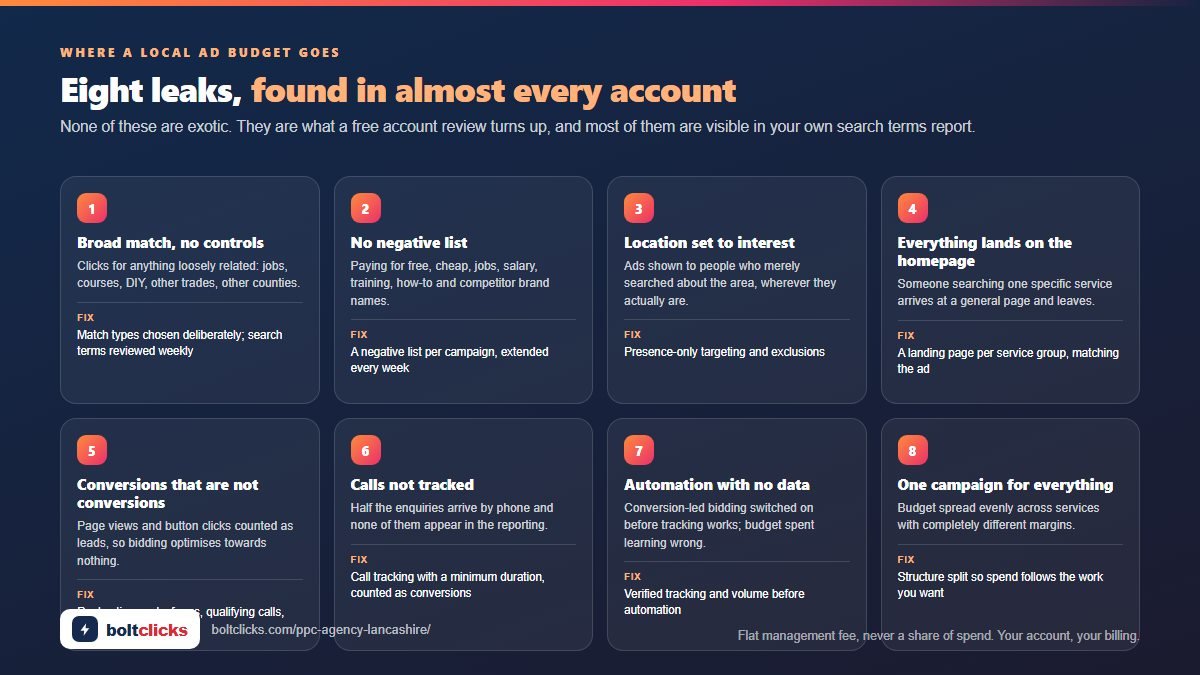
| Leak | What it looks like | The fix |
|---|---|---|
| Broad match with no controls | Clicks for anything loosely related: jobs, courses, DIY, other trades, other counties | Match types chosen deliberately, negatives built before launch, search terms reviewed weekly |
| No negative keyword list | Paying for “free”, “cheap”, “jobs”, “salary”, “training”, “how to”, competitor brands and every nearby-but-wrong service | A negative list per campaign, extended from real search terms every week |
| Location set to interest | Ads shown to people who merely searched about Lancashire, wherever they are | Target set to presence only; excluded areas added; radius checked against where you will actually travel |
| Everything lands on the homepage | Someone searching for one specific service arrives at a general page and leaves | A landing page per service group, matching the ad, with one clear action |
| Conversions that are not conversions | Page views and button clicks counted as leads, so the platform optimises towards nothing | Real conversion actions only: form submissions, qualifying-length calls, messages, bookings, sales |
| Calls not tracked | Half the enquiries arrive by phone and none of them appear in the reporting | Call tracking with a minimum duration, call assets, and calls counted as conversions |
| Automated bidding with no data | Maximise conversions switched on before tracking works, so the budget is spent learning the wrong thing | Manual or conversion-led bidding only once the tracking is verified and there is volume to learn from |
| One campaign for everything | Budget spread evenly across services with completely different margins and close rates | Structure split by service and intent so spend follows the work you want |
How a Lancashire account is built
- Understand the business before the accountWhich services carry the margin, what a job is worth, what close rate the enquiries convert at, which towns you will travel to, and what you cannot take on. Everything downstream depends on this.
- Research and negativesSearch terms by service and town, grouped by intent, with the waste identified first: jobs, training, DIY, wholesale, wrong services, wrong areas. The negative list exists before the first ad runs.
- Structure and targetingCampaigns by service and intent, tight ad groups, location targeting by presence, schedules and devices set from evidence, budgets weighted to the work you want more of.
- Tracking before trafficConversion actions built and tested end to end, call tracking connected, analytics linked, so the first pound spent is measured properly.
- Ads and landing pagesResponsive search ads written from your own services and reviews, assets completed, and a landing page per service group that matches the ad and converts on a phone.
- Launch small, then scaleStart on the highest-intent searches with a controlled budget, prove the cost per enquiry, then widen into broader terms, more towns and additional channels.
- Weekly optimisation and reportingSearch terms, negatives, bids, budgets, ad tests, landing page changes and seasonal adjustments, with a written report every week showing enquiries and cost per enquiry.
Ad spend is separate and paid by you. The card on the account is yours, the billing is yours, and the management fee does not change with your budget, so there is never a reason to recommend spending more than the work justifies.
How other providers price the same work, and the incentive each model builds in, is set out in the guide to PPC management cost.
What to spend, and what it should bring back
The honest answer to “what budget do I need” starts from the other end: what a job is worth to you, how many enquiries it takes to win one, and what you can afford to pay for an enquiry. Work back from that and the budget picks itself. The table shows how the arithmetic usually looks for Lancashire businesses; the numbers in your market will differ, and the review tells you which column you are actually in before anything is spent.
| Business type | Typical click cost | Enquiries per month at £500 ad spend | What decides whether it works |
|---|---|---|---|
| Emergency trades | Low to moderate | Often the highest of any sector, because intent is immediate | Answering the phone, call tracking, tight hours and negatives |
| Home improvement | Moderate | Fewer, larger enquiries | Landing page quality, photos, finance options, follow-up speed |
| Professional services | High | Small numbers, high value | Qualifying forms, clear expertise, honest tracking of what a lead is worth |
| Clinics | Moderate to high | Steady, treatment-dependent | Treatment-level campaigns, pricing transparency, booking path on mobile |
| Ecommerce | Varies by product | Measured in return on ad spend, not lead count | Feed quality, product margins, remarketing, seasonality |
| B2B services | High | Low volume, long cycle | Offline conversion import so the real sale is counted, not the form |
Starting point for most local businesses: enough budget to gather real data on the highest-intent searches, usually a few hundred pounds a month, rather than a small amount spread across every service and town. A campaign with too little budget to learn anything is the most expensive way to run ads.
Management fees, in plain pounds
A flat monthly management fee, agreed in writing before anything starts, month to month. Never a percentage of your ad spend: the fee does not rise when your budget rises, so the advice never depends on you spending more.
| Plan | What it covers | Price |
|---|---|---|
| Free account review | Written review of an existing account: wasted spend, structure, tracking, targeting, and the real cost per enquiry | Free |
| Campaign build (one-off) | Research, negatives, structure, tracking set-up, ad copy, assets and a landing page brief, ready to launch | Quoted in writing |
| Growth | Google Ads managed alongside SEO: weekly optimisation, landing pages, reporting, and the search-term data feeding the organic keyword map | £1,200 / month |
| Full Stack | Search, Shopping, Performance Max, remarketing and paid social with SEO and content; multi-service or multi-branch businesses | from £4,000 / month |
Google Ads management on its own is the Starter retainer, from £650 a month on the retainers page; the Growth and Full Stack plans above add SEO and further channels. Ad spend is separate and paid by you directly to the platform on your own card. The Google Ads account is created in your name; if we stop working together you keep the account, the history and the data. Full price list on the pricing page.
How paid search and SEO work better together
Paid search and organic search answer the same question from opposite ends. Ads buy the top of the results immediately and stop the moment the budget does. SEO takes months and then keeps producing without a cost per click. Run separately they duplicate work; run together each makes the other cheaper. The ads tell you within weeks which searches actually produce enquiries rather than clicks, and that evidence decides which pages the organic work should build first. The organic pages, written properly, make better landing pages and lift quality scores, which lowers what you pay per click. And when a page finally ranks, the budget behind that term can move to the next one instead of paying for a click you now get free.
For most Lancashire businesses the sensible order is: ads first on the highest-intent searches so the phone rings while everything else is being built, the SEO service running behind it on the same keyword map, and the paid budget gradually rebalanced towards the terms organic has not reached yet. The weekly report shows both sides in one place, with enquiries attributed to the channel that produced them, so you can see what each is costing you.
What ads give SEO
- Proof of which searches convert, within weeks rather than months
- Real search-term data in your customers’ own words
- Landing pages tested on real traffic before the organic version is written
- Coverage of terms that are years away from ranking
What SEO gives ads
- Better landing pages, so higher quality scores and lower click costs
- Terms that no longer need paying for once they rank
- Trust: appearing in both the ads and the organic results lifts both
- A lower blended cost per enquiry as the months pass
Which paid channels are worth using, and when
| Channel | Best for | When it is a waste |
|---|---|---|
| Google Search | Anyone whose customers actively search: the core of almost every local account | Markets with genuinely no search demand |
| Call-only and call assets | Emergency trades and any business where the phone closes the job | When nobody answers the phone, or calls are not tracked |
| Performance Max | Stores with a good product feed, and established accounts with strong conversion data | New accounts with no conversion history; it will spend the budget learning |
| Shopping | Online retail with margin and a clean feed | Products with thin margins or feeds full of errors |
| Remarketing and display | Longer decision cycles: home improvement, professional services, B2B | Used as a first channel, or to chase people who already bought |
| Microsoft Ads | Older and business audiences; cheaper clicks in some sectors; easy import from Google | Expecting Google-level volume from it |
| Local Services Ads | Eligible trades wanting pay-per-lead alongside search | Where the verification requirements do not fit the business |
| Paid social | Demand generation, visual services, retargeting website visitors | As a replacement for search when people are already searching for what you sell |
What happens, week by week
| Period | Work | What you see |
|---|---|---|
| Week 1 | Access, account review or build, research, negatives, structure, tracking built and tested, ad copy written | The written plan and the tracking working before a pound is spent |
| Week 2 to 4 | Launch on the highest-intent searches, daily search-term reviews, negatives added, bids adjusted, landing page fixes | First enquiries; early cost per enquiry; waste being cut weekly |
| Week 5 to 8 | Ad testing, budget moved to what converts, additional services and towns added, call tracking reviewed | Cost per enquiry settling; a clearer picture of which services pay |
| Week 9 to 13 | Scaling what works, testing an additional channel if justified, seasonal planning, quarterly review | Predictable enquiry volume and a plan for the next quarter |
What not to expect: a perfect account in week one. The first month is partly paid research; the cost per enquiry in month three is the number that matters, and it should be materially better than month one.
The page the click lands on
Message match is the plainest test in paid search. Someone searches for emergency drain clearance in Preston, and the page they land on should repeat that wording in the headline, above the fold, before they scroll. If it does not, they read for two seconds and press back, and the click is paid for either way. The homepage almost always fails this test. It carries a company name, a slider, six services, a mission statement and a full menu, and it forces the visitor to do the sorting. A landing page removes the sorting. One service, one area, one action, and enough detail to answer the question that was actually typed. The same budget on the same keywords converts at a different rate purely because the destination changed.
| Element | What it must do | How it is checked |
|---|---|---|
| Headline | Use the same nouns as the search: the service, the job type and the area, in that order, with no company slogan in front of it. | Pull the ad group’s top ten search terms, read them beside the headline. If the shared words are missing, the headline is rewritten before spend continues. |
| Sub-headline | Qualify the visitor in one line: who the work is for, what is included, how quickly someone responds, and whether it is domestic or commercial. | Read aloud with the headline. If the pair could belong to any trade in any county, it is too vague and gets replaced with specifics. |
| Proof | Carry only what the business can actually evidence: photographs of completed jobs, written guarantees, accreditation numbers, insurance cover, the years figure if it is true. | Each claim is traced to a document, a certificate number or a photograph. Anything that cannot be sourced is removed rather than softened. |
| Form | Sit above the fold on mobile, ask for the fewest fields the business genuinely needs, and set the right keyboard for phone and email entry. | Filled in on a phone on mobile data, start to finish. Every field is questioned: if nobody reads the answer, the field comes off. |
| Phone number | Appear as tappable text in the header and again near the form, never inside an image, with opening hours stated next to it. | Tapped on a live handset to confirm it dials, and the call is followed through to the answering point to check it rings where it should. |
| Page speed | Load the headline, the form and the number quickly on a mobile connection, without a heavy slider, autoplay video or uncompressed images. | Measured on mobile rather than desktop, with image weight and blocking scripts listed individually so there is something specific to fix. |
| Area coverage | Name the towns and postcode areas covered, in text on the page, so a visitor in Colne or Ormskirk can see immediately whether they qualify. | Compared line by line against the campaign’s location targeting. Any town being bid on but missing from the page is added, and the reverse is removed. |
| Single next step | Offer one action repeated down the page. No secondary menu, no downloads, no links away to other services competing for the same click. | Every clickable element is counted. Anything that leads somewhere other than the enquiry is stripped out or disabled on the paid version of the page. |
The searches you refuse to pay for
Every campaign pays for two kinds of search: the ones that could become work, and the ones that never will. The second group arrives anyway, because matching is loose and because a phrase like roof repair covers a homeowner with a leak, a student writing coursework and someone hunting for a job on a roofing crew. A negative keyword list is how you refuse to pay for the second and third. It is built before the account goes live, from the trades you do not cover, the towns you do not serve, and the words that signal no intent to buy. Then it is maintained weekly, because the search terms report always produces wording nobody would have predicted.
Negative categories built before launch
- Jobs and careers, covering vacancy, apprenticeship, salary, CV, recruitment and hiring wording that reaches your ads from people looking for work rather than a quote.
- Training and courses, including qualification, certificate, City and Guilds style wording, NVQ, diploma and evening class searches aimed at learning the trade.
- DIY and how-to, covering tutorial, step by step, video, yourself, guide and instructions, where the searcher has already decided not to pay anyone.
- Free and cheap, including free, no cost, bargain, cheapest and discount wording that attracts enquiries no quote will ever satisfy.
- Wholesale and trade supply, covering bulk, pallet, supplier, distributor and trade counter searches from people buying materials, not services.
- Other services you do not offer, listed out by name so the account stops paying for adjacent work you would only have to turn down.
- Other towns and counties, named individually where searches from outside the service area keep slipping through despite location settings.
- Competitor brand names, excluded by default so budget is not spent on people already searching for a specific firm they intend to use.
How the list keeps growing
- Weekly search-term reviews, reading the actual queries that triggered ads rather than the keywords you bid on, and adding anything irrelevant that appeared.
- Match types applied deliberately, so a broad negative does not silently block a phrase you want, and an exact negative removes only the one query.
- Shared lists across campaigns, so a term blocked once is blocked everywhere, instead of being re-added campaign by campaign every few weeks.
- Seasonal additions, where a term that is harmless in June wastes money in December and is added or paused as the calendar moves.
- Phrase-level negatives, used where a single word is too blunt, so free survey stays live while free advice is excluded.
- Reviewing what was blocked by mistake, because an over-broad negative quietly cuts volume, and the list is audited for that as well as for waste.
Counting enquiries, not clicks
Clicks are easy to count and tell you nothing about whether the phone rang. A campaign can report four hundred clicks and a cost per click that looks reasonable while producing three enquiries, two of them from the wrong county. Tracking exists to close that gap, so every pound of spend can be traced to a form, a call, or nothing at all. Setting it up properly takes an afternoon, and it is the part most accounts skip, which is why so many reports measure traffic instead of work won. The aim is not more numbers. It is one number you trust: enquiries this month, what each one cost, and which keyword and campaign produced it. Everything else in the account is adjusted against that figure.
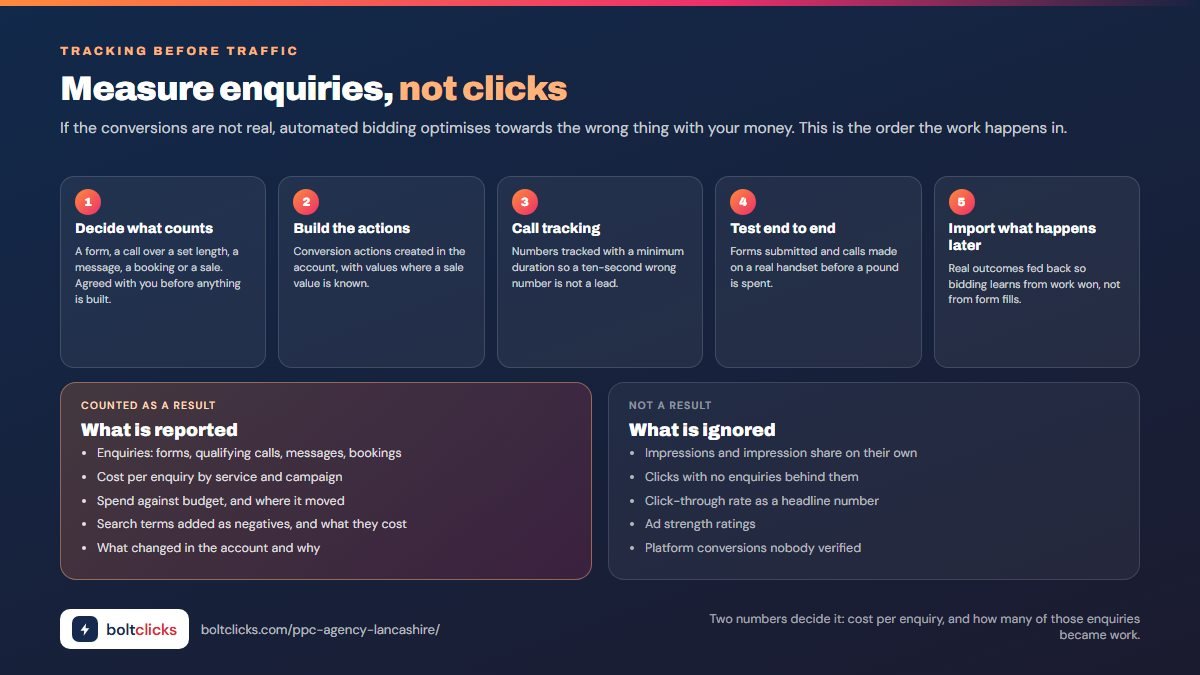
- Decide what counts as an enquiryAgree it in writing first. A submitted form and a phone call over a set length usually count; a page view, a click to the contact page and a two-second call do not.
- Build the conversion actionsCreate separate conversion actions for forms and calls rather than one combined figure, mark only the real enquiry actions as primary, and leave soft interactions recorded but excluded from bidding.
- Call tracking with a minimum durationUse a tracking number that swaps in for paid visitors and set a minimum duration, commonly sixty seconds, so wrong numbers and hang-ups are not counted as leads the account can bid towards.
- Test end to end before spendSubmit the form yourself, ring the tracked number from a mobile, then confirm both appear in the account and that the enquiry actually reached the inbox and the handset it was meant to reach.
- Connect analytics and import offline outcomesLink analytics so on-site behaviour is visible, then import what happened afterwards: which enquiries were quoted, which became jobs, and what those jobs were worth to the business.
- Review what the tracking claims against what actually arrivedOnce a month, compare the conversion count with the enquiries genuinely received. Duplicates, test submissions and misfiring tags are found this way, and the numbers are corrected rather than repeated.
Where an account leaks money
Signs from the reports
- Search terms you do not recognise, appearing in the report with real spend behind them, which means the negative list has not been touched in months.
- One or two keywords taking most of the budget, while the terms that actually describe your work sit at the bottom with almost no impressions.
- Conversions counted that are not enquiries, such as page views, clicks to a contact page, or calls lasting a few seconds inflating the total.
- Impression share lost to budget in the middle of the day, so ads stop showing when tradespeople and office staff are searching most.
- Everything in one campaign and one ad group, with unrelated services sharing a budget, a bid and the same set of ads.
- Automated recommendations applied on their own, quietly widening match types, adding keywords and raising budgets without anyone deciding to.
Signs from your own experience
- Enquiry quality has dropped, with more price-only questions and fewer people ready to book, even though the reported lead count looks healthy.
- Enquiries from the wrong areas, arriving from towns well outside the patch you would actually travel to, week after week.
- Time-wasting calls, from people selling to you, people wanting advice for free, and wrong numbers that still register as conversions.
- Requests for work you do not offer, which means the account is bidding on adjacent services and you are paying to say no.
- Spend rising without more work, where the monthly invoice climbs steadily and the diary looks exactly the same as it did before.
- No idea which campaign produced a job, so when you want more of one kind of work, nobody can say where to put the money.
Free account review: if any of the above sounds familiar, grant partner access to your Google Ads account and you get a written review of what is being wasted and what would change first. Partner access is granted from inside the account, so no passwords are shared, and it can be withdrawn at any time. The review is free and carries no obligation to go further.
Targeting Lancashire properly: towns, radii and travel time
Lancashire is a county of towns rather than one city, and that changes how location targeting should be set. A radius drawn around Preston catches Leyland, Chorley and Bamber Bridge but stops short of Blackburn; a radius around Blackburn catches Darwen and Accrington but not Burnley. Set the radius too wide and you pay for clicks from people you will never travel to; set it too tight and you miss the next town over where half your work comes from. The right answer comes from your own job records: where you actually go, how far you will travel for which service, and which towns are worth a higher bid because the jobs are bigger.
The table below is the starting framework, adjusted once the search-term and location reports show where enquiries really come from. Location targeting is always set to presence, never “presence or interest”, and the location report is reviewed monthly so towns that spend without converting get excluded rather than tolerated.
| Cluster | Towns included | How it is targeted |
|---|---|---|
| Central Lancashire | Preston, Leyland, Chorley, Bamber Bridge, Penwortham, Longridge | The densest demand in the county; usually the first campaign and the highest budget share |
| East Lancashire | Blackburn, Darwen, Accrington, Great Harwood, Clitheroe | Strong trade and manufacturing demand; cheaper clicks than Preston in most sectors |
| Pennine Lancashire | Burnley, Nelson, Colne, Padiham, Barnoldswick | Smaller volumes, low competition; often the best cost per enquiry in the account |
| The Fylde coast | Blackpool, Lytham St Annes, Fleetwood, Poulton-le-Fylde, Thornton-Cleveleys | Seasonal swings; hospitality and holiday-let demand needs its own schedule |
| Rossendale valley | Rawtenstall, Haslingden, Bacup, Waterfoot, Whitworth | Tight local loyalty; low volume, very low competition |
| North Lancashire | Lancaster, Morecambe, Carnforth, Garstang | Under-served by agencies; university and tourism demand alongside local trade |
| West Lancashire | Ormskirk, Skelmersdale, Burscough, Southport fringe | Overlaps with Merseyside search patterns; needs careful exclusions |
| County-wide | All of the above plus villages | Used for services worth travelling for; bid adjustments by town once the data arrives |
When demand rises, and when to stop spending
Paid search budgets should not be flat across the year. Most local sectors have months where the same click is worth twice as much and months where it is worth almost nothing, and an account left on a fixed daily budget spends the same either way. The calendar below is the pattern in most Lancashire accounts; yours is confirmed from your own history in the first quarter and the budget is then weighted to match.
| Period | What rises | What to do |
|---|---|---|
| January | Home improvement planning, professional services, gyms and clinics, business change-overs | The strongest month in many local accounts; budget raised before it starts, not during |
| February to April | Extensions, driveways, landscaping, roofing, weddings and events | Build out the seasonal services; add negatives for the ones you cannot take on yet |
| May to August | Tourism and hospitality on the coast; emergency trades in storms; quieter B2B | Shift budget towards the coast and urgent services; trim B2B spend in August |
| September to October | Business services restart, heating and boiler work, indoor improvement, education intakes | Second peak of the year; heating and insulation campaigns brought forward |
| November to December | Emergency work, retail and gifting, quiet professional services | Pause what will not convert; hold budget for January rather than spending it in late December |
| Weather events | Storms, freezes and floods create sudden spikes for roofers, drainage, plumbers and glaziers | Budgets and schedules ready in advance so the account can react the same day |
The paid search terms in your reports
| Term | What it means |
|---|---|
| Impression | Your ad was shown; nothing more |
| Click-through rate | The share of impressions that became clicks |
| Cost per click | What you paid for each visit; set by auction, quality and competition |
| Conversion | A real outcome you chose to count: a form, a qualifying call, a message, a booking or a sale |
| Cost per conversion | Ad spend divided by enquiries; the number that decides whether the account works |
| Return on ad spend | Revenue produced for every pound spent; used where sales are tracked, mainly ecommerce |
| Search term | What somebody actually typed, as opposed to the keyword you bid on |
| Negative keyword | A word or phrase you refuse to show ads for |
| Match type | How closely a search must match your keyword: broad, phrase or exact |
| Quality score | Google’s rating of keyword, ad and landing page relevance; higher scores lower your click cost |
| Impression share | How often your ad appeared out of the times it could have; useful for diagnosis, not as a goal |
| Assets | Sitelinks, callouts, structured snippets, calls, locations, images and forms shown with the ad |
| Smart bidding | Automated bidding towards conversions or value; only as good as the conversion data behind it |
| Remarketing | Showing ads to people who already visited the site |
| Landing page | The page the ad sends people to; should match the search, not be the homepage |
| Offline conversion import | Feeding real sales back into the account so bidding learns from revenue, not form fills |
Remote, on UK hours, in your own account
The work is done remotely, on UK hours, inside a Google Ads account created in your name with your own billing. Manager-level access is granted by you and can be removed at any time; passwords are never requested. There is no Lancashire office and none is claimed. What you need from your side is small but it matters: someone who answers the phone during the hours the ads run, a quick monthly word on which enquiries were any good, and photographs or detail when a landing page needs building. Where the website itself is holding the ads back, the local SEO service and the organic work are planned alongside so the same pages serve both.
- Your account, your billing, yours to keep
- Manager access only, never your passwords
- Weekly written report with enquiries and cost per enquiry
- Direct contact with the person in the account
- Honest advice, including when to pause, cut the budget or spend it elsewhere
One specialist, a bigger agency, a percentage-of-spend model or doing it yourself
| Option | Strengths | Weaknesses | Typical cost |
|---|---|---|---|
| One specialist, flat fee (this service) | The person in the account is the person you speak to; fee independent of your budget; weekly written reports; your account, your billing | Capacity is finite; very large multi-market programmes need a team | Retainers from £650 a month; £1,200 a month with SEO; build quoted in writing |
| Agency charging a percentage of spend | Scales with you on paper | The incentive is to increase your budget, not your profit; small accounts get junior attention | 10 to 20% of ad spend, often with a minimum |
| Large agency, fixed retainer | Capacity, tooling, several channels in one place | Account managers between you and the work; template structures; long contracts; you are a small account | £1,000 to £5,000+ a month |
| Google’s own account support | Free, fast to reach | Recommendations that favour broad match, higher budgets and automation without tracking in place | Free, but expensive in wasted spend |
| Doing it yourself | Nobody knows the jobs and margins better; no fee | The platform defaults are built to spend; search-term work needs doing weekly; tracking is easy to get wrong | Your time |
| Lead platforms instead of ads | No setup, enquiries arrive | Leads shared with competitors, price-led; you never own the channel | Per lead |
What gets measured, and what is ignored
What is reported every week
- Enquiries: forms, qualifying calls, messages, bookings
- Cost per enquiry, by service and by campaign
- Spend against budget, and where it moved
- Search terms added as negatives, and what they were costing
- What changed in the account and why
- What happens next week
What is not treated as a result
- Impressions and impression share on their own
- Clicks without the enquiries that followed
- Click-through rate as a headline number
- Ad strength ratings
- Platform-reported conversions that were never verified
- Anything that cannot be traced to a phone call or a form
Two numbers decide whether paid search is working for a local business: what an enquiry costs, and what share of those enquiries turn into work. The first comes from the account and the tracking. The second comes from you, in a five-minute monthly conversation about which leads were any good. Without that second number the reporting is guesswork dressed up in charts, and the account optimises towards whatever is easiest to count rather than what actually pays.
What a client said, and what you can check
“Great communication and very helpful throughout the process. Took the time to explain everything clearly and set up the campaign professionally. Focused on quality results rather than just numbers. Highly recommended.”
This is one of three client reviews published so far; the other two, from a UK SEO client and a US Google Ads client, are on the home page. Every figure comes from the client’s own ad account, and a review goes on this site only when it is real.
What you can check before you pay
- Prices published in full on the pricing page, not hidden behind a sales call
- Month to month, with one month’s notice and no lock-in contract
- Every account, profile and file stays in your name; I work through partner access
- A written report every week, in plain English
- One specialist does the work, from the audit to the report
Google Ads in Lancashire: frequently asked questions
How much should I spend on Google Ads?
Work back from the value of a job. If a job is worth £1,000 to you, you close one in four enquiries and you are happy paying 10% of revenue to win work, then £25 an enquiry works, and the budget is whatever produces the enquiries you can handle. Most local businesses start with a few hundred pounds a month concentrated on the highest-intent searches rather than a small amount spread everywhere.
Do you charge a percentage of my ad spend?
No. A flat monthly management fee, agreed in writing. The fee does not change when your budget changes, so there is never a financial reason to recommend spending more than the results justify.
Who owns the Google Ads account?
You do. It is created in your name with your billing details, and if we stop working together you keep the account, the campaign history and the conversion data. Nothing is built inside an agency account you cannot take with you.
How quickly will I see enquiries?
Usually within the first week or two of launch, because paid search reaches people who are already looking. The cost per enquiry in the first month is not the number to judge it by; month three, after the search terms have been worked and the waste cut, is.
Can you run ads for just one town?
Yes. Location targeting can be set to a town, a radius, a postcode list or a set of towns, with presence-only targeting so you are not paying for people elsewhere who happen to be searching about the area. For most local businesses a tight area with a decent budget beats a wide area with a thin one.
My previous agency spent the budget with nothing to show. What was wrong?
Almost always one of: broad match with no negatives, everything pointing at the homepage, conversions that were not real conversions, location set to interest rather than presence, or automated bidding switched on before the tracking worked. The free account review names which of those applies to your account, in pounds.
Do I need a new website to run ads?
Not usually, but you do need pages that match what the ads promise and load quickly on a phone. Where a service has no page worth sending traffic to, a landing page is built for it rather than pointing the budget at a homepage.
Should I run ads or do SEO?
If you need enquiries this month, ads. If you want enquiries that keep coming without a cost per click, SEO. Most businesses do both: ads from day one, SEO compounding behind them on the same keyword map, and the ad budget moved off terms once the organic pages rank.
What about Performance Max?
It can work well for stores with a clean feed and for established accounts with real conversion history. For a new local account with no data it usually spends the budget learning, which is an expensive way to find out what a properly built search campaign would have told you in week two.
Do you handle Microsoft Ads too?
Yes, where it earns its place. Campaigns can be imported from Google and adjusted; clicks are often cheaper and the audience skews older and more business-oriented. It is a supplement to search, not a replacement.
Will you need my passwords?
No. Access is granted at manager level to your own Google Ads, analytics and Search Console accounts, and you can revoke it at any time. Billing stays on your card.
Is there a contract?
Month to month, invoiced in advance, cancel with a month’s notice. Fees are agreed in writing before work starts and do not change without agreement.
Six things to know before you hand over an ad budget
1. Tracking first, traffic second
If conversions are not recording real enquiries, everything downstream is guesswork, and automated bidding will optimise towards the wrong thing with your money.
2. Negatives are the job, not an afterthought
The list of searches you refuse to pay for is worth more than the list you bid on, and it needs extending every week from real search terms.
3. A percentage-of-spend fee points the wrong way
It rewards a bigger budget rather than a lower cost per enquiry. A flat fee removes the conflict entirely.
4. The homepage is not a landing page
Someone who searched for one specific service should land on a page about that service, in their area, with one obvious next step.
5. Judge month three, not month one
The first month buys data as well as clicks. What matters is whether the cost per enquiry falls once that data has been worked.
6. Ads are rented, SEO is owned
Paid search stops the day the budget stops. Run it for the enquiries you need now, and build the organic side so that in a year you are paying for fewer of the same clicks.
Start with a free account review
Already running Google Ads? Send access and you will get a written review: what the account is spending on searches that will never convert, whether the tracking is recording real enquiries, what your actual cost per lead is, and what would change it. Not running ads yet? Send the website and the services you want more of, and you will get a plan with a realistic budget before any money is spent.